Independent extender & router guidesHelping you find your connection.
The guide library

A guest SSID with a VLAN needs a complete path through the switch and router

Explore the guide library · Switch selection and setup

Naming a wireless network “Guest” is only the first step; verify tagging, addressing and access rules end to end.
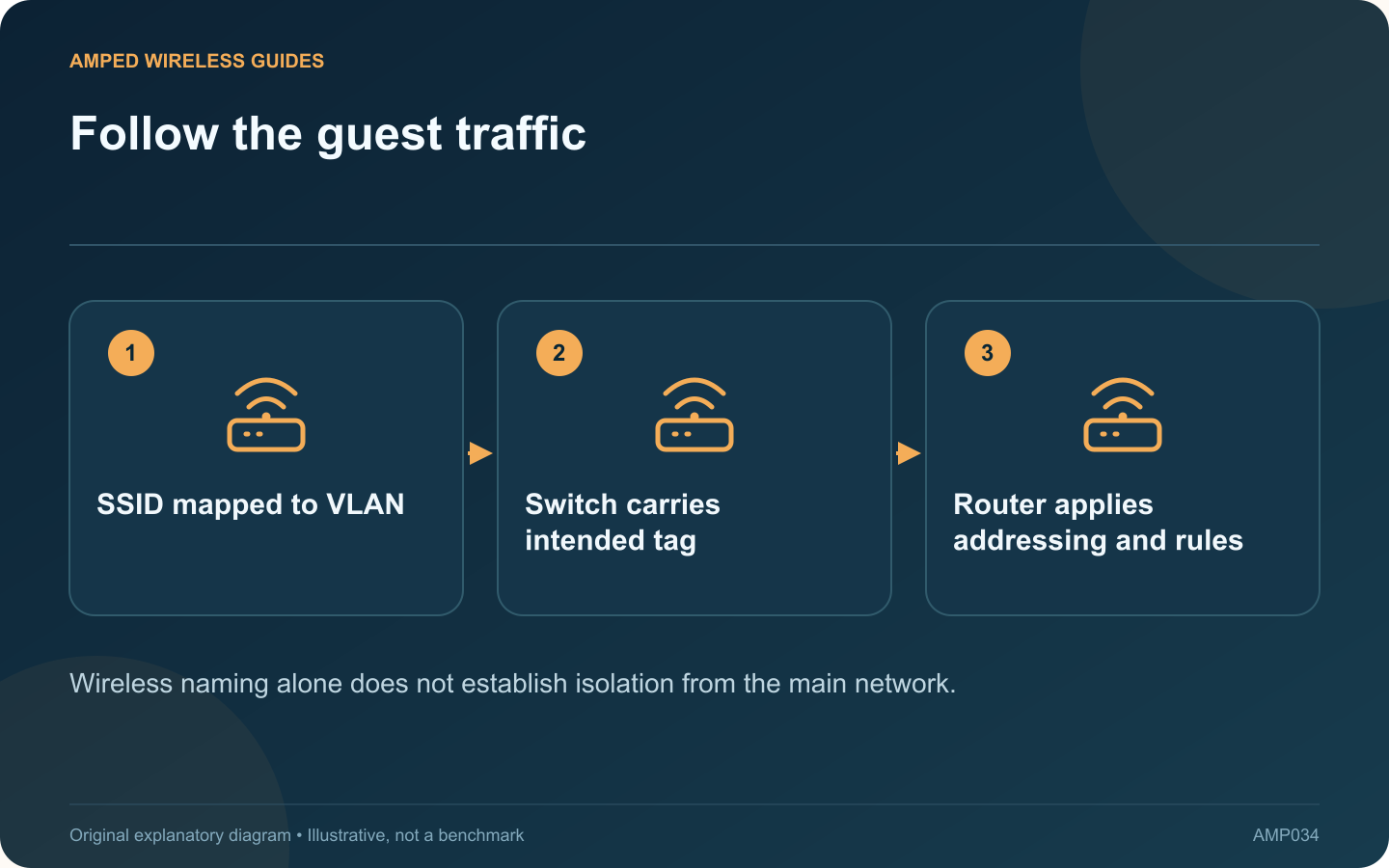
Follow the guest traffic: SSID mapped to VLAN; Switch carries intended tag; Router applies addressing and rules
Wireless naming alone does not establish isolation from the main network.

A wireless access point can map a guest SSID to a VLAN, but that setting alone does not create a complete guest network. The switch path and router must carry and handle the same intended network correctly.

Write an end-to-end plan

Record the guest network’s VLAN identifier, router interface, address range and access policy. Confirm that the access point, switch and router all support the required functions. Avoid copying a configuration whose port numbers and network ranges belong to another installation.

Map the wireless network

TP-Link’s EAP documentation describes assigning a wireless VLAN ID to an SSID. Use the supported interface for your installed model and management mode. Keep the access point’s own management path understood so a change does not lock you out.

Check switch port behavior

NETGEAR explains that VLAN membership and tagging determine how frames are handled. The access-point uplink may need to carry multiple networks, while a simple wired guest device may use an untagged access port. Configure each role deliberately.

Verify addressing and policy

  • A guest client receives the intended address and gateway.
  • DNS and internet access work as designed.
  • Access to private LAN resources is restricted as intended.
  • Network-device management remains protected.

Test with a harmless resource you control. Do not conclude that isolation works solely because the network name differs or the client can browse the internet.

Preserve a recovery method

Save the supported configuration and keep a known management connection available during changes. On a shared or managed network, have the administrator perform or approve the design.

A guest VLAN is complete when the wireless mapping, switch forwarding and router policy agree. If a client receives the wrong address range or reaches resources it should not, revisit the full path rather than treating the access point’s SSID screen as the only configuration that matters.

Sources and editorial notes

Sources checked 8–9 October 2026. Independent guidance and original illustrations; product comparisons use published specifications rather than hands-on benchmarks. Check the exact model, revision and regional documentation before changing settings.

Related guides

300 FAQs across our guide libraries

Quick answers

100 practical questions from Amped Wireless Guides.

Browse all 100 FAQs
What must carry a guest-network VLAN through the wired network?

A wireless access point can map a guest SSID to a VLAN, but that setting alone does not create a complete guest network. The switch path and router must carry and handle the same intended network correctly. Record the guest network's VLAN identifier, router interface, address range and access policy. Confirm that the access point, switch and router all support the required functions. Avoid copying a configuration whose port numbers and network ranges belong to another installation.

Read the full guide and sources
How does switch port isolation differ from VLAN separation?

Port isolation and VLANs can both appear in discussions about separating devices, but they do not mean the same thing. Understanding the difference helps avoid a configuration that blocks one path while leaving another unintended route available. TP-Link's switch configuration guide describes forwarding lists for isolated ports. The exact behavior depends on the switch and firmware. Determine which ports can exchange traffic and which uplink remains reachable in the proposed arrangement.

Read the full guide and sources
When are managed-switch features useful at home?

An unmanaged switch can be sufficient when the task is simply adding wired connections to one ordinary LAN. A managed switch becomes useful when you need specific controls or diagnostics, but those capabilities also require deliberate configuration and maintenance. Examples include separating traffic with VLANs, inspecting port errors, managing supported aggregation or controlling PoE per port. Write down the actual feature needed. Buying a managed model solely because it sounds more professional can add complexity without solving a problem.

Read the full guide and sources
Does adding a second switch uplink automatically increase speed?

Connecting a second ordinary cable between two switches does not automatically double their speed. Without an appropriate supported configuration, the additional path can create an Ethernet loop and disrupt the entire LAN. NETGEAR describes loops as a cause of broadcast storms, irregular connectivity and network failure. If problems began immediately after an extra cable was installed, document that change and review the physical topology before resetting routers or client devices.

Read the full guide and sources
Independent. Practical. Clear.

Amped Wireless Guides is an independent information website. We are not affiliated with or endorsed by Amped Wireless. Product names belong to their respective owners.